Catalog management
Archive and unarchive a book, and where to find the catalog ledger.
Once a book is published it stays in the catalog until you archive it. This page covers archiving — taking a book out of circulation — and where the catalog ledger lives.
Archiving a book
Archiving removes a book from the places people browse: the storefront, the catalog grid, and bkstr list. It does not delete the book, and it does not touch access — anyone who already owns the book keeps it and can still install it.
You archive a book from its row on the Pricing page. Because archiving changes what buyers can find, the confirmation asks you to type the book's slug — a deliberate guard against an accidental archive.
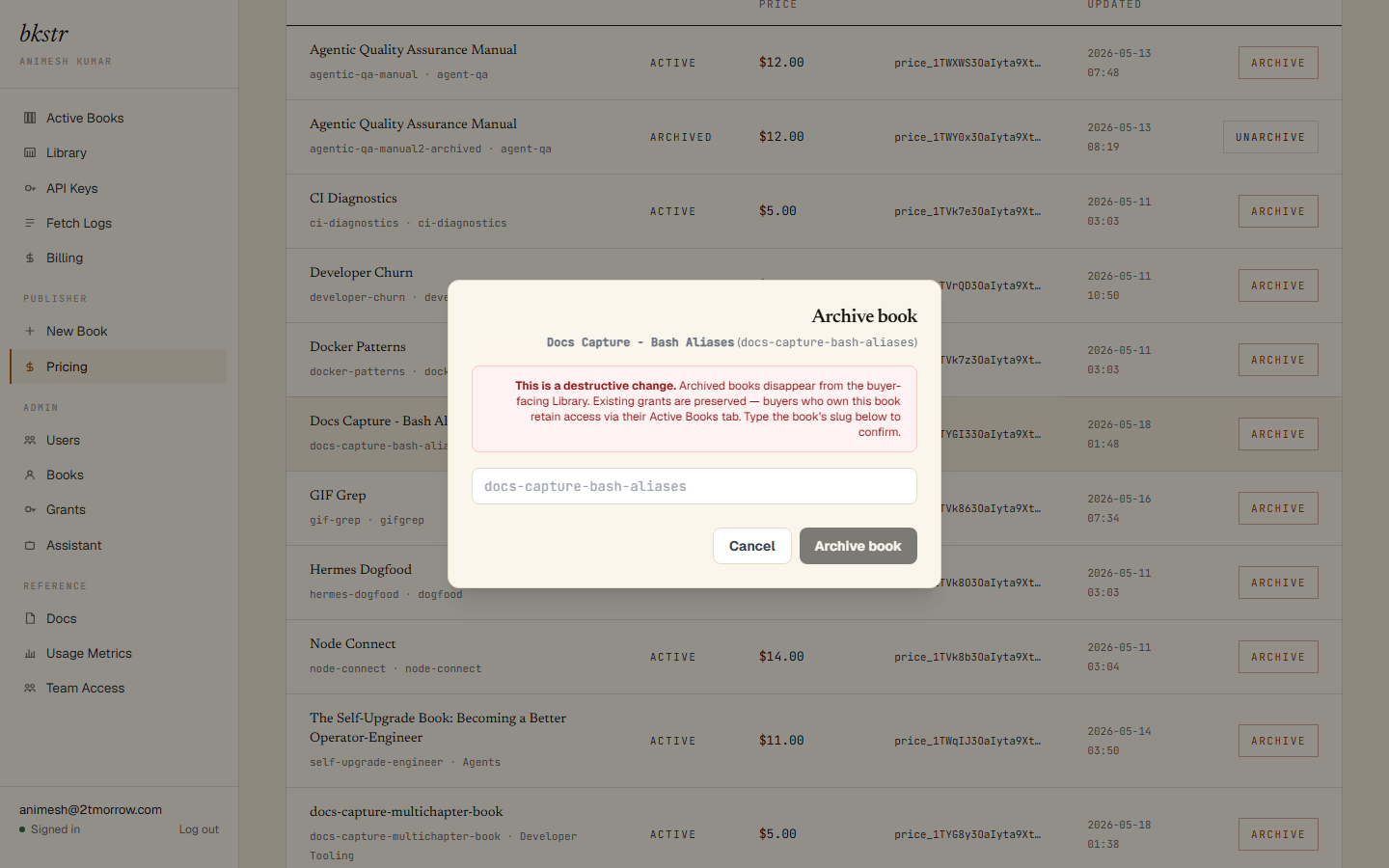
Once confirmed, the book drops out of the catalog.
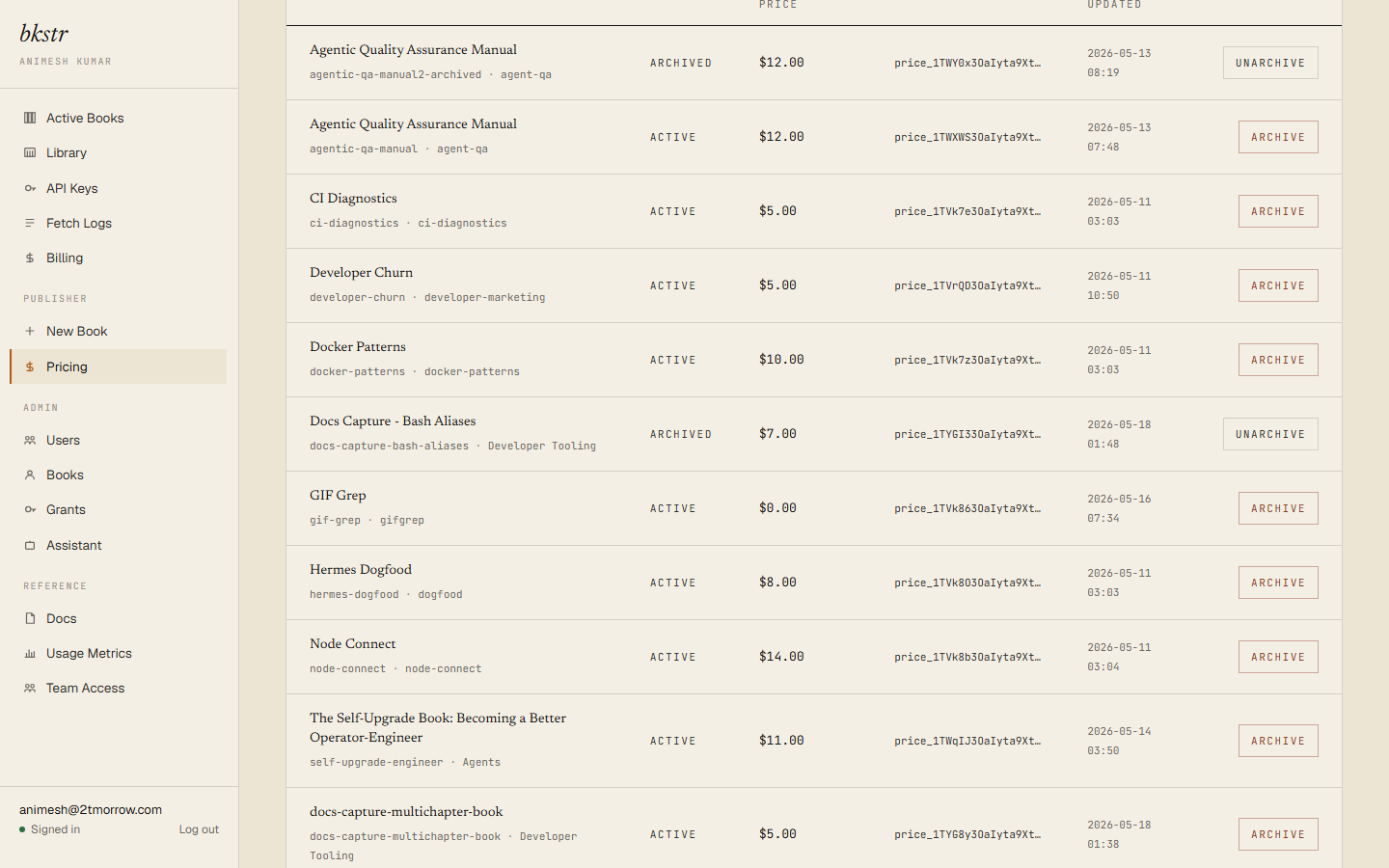
Archiving is reversible — unarchiving a book returns it to the catalog with its price and content intact. Unarchiving re-runs the automated submission scan, so a book whose content would no longer pass cannot be quietly returned to the storefront. (A book held or rejected by that scan's review queue cannot be archived at all — archiving is for live books.)
The catalog ledger
Admins can see every book on the platform, across all publishers, on the catalog ledger at /dashboard/admin/books. It is the full ownership record — which publisher each book belongs to — and the surface for reassigning a book to a different publisher.
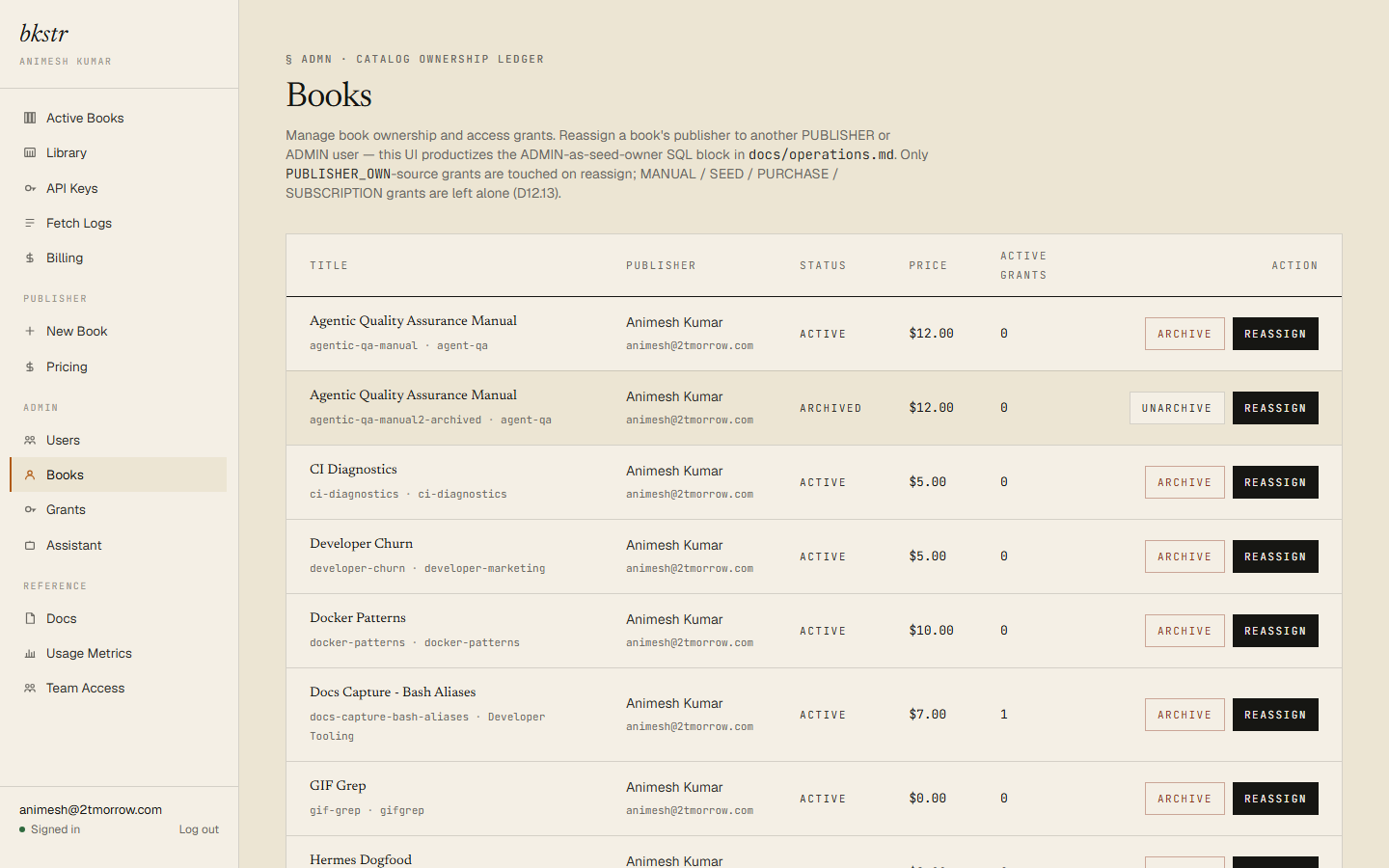
The catalog ledger is admin-only. As a publisher, the Pricing page is your view of your own books.